Remote benchmarking: measure the PC in the other room, without opening a port
-
If the machine with the interesting GPU is not the one you sit at, you can now benchmark it from the one you are at.
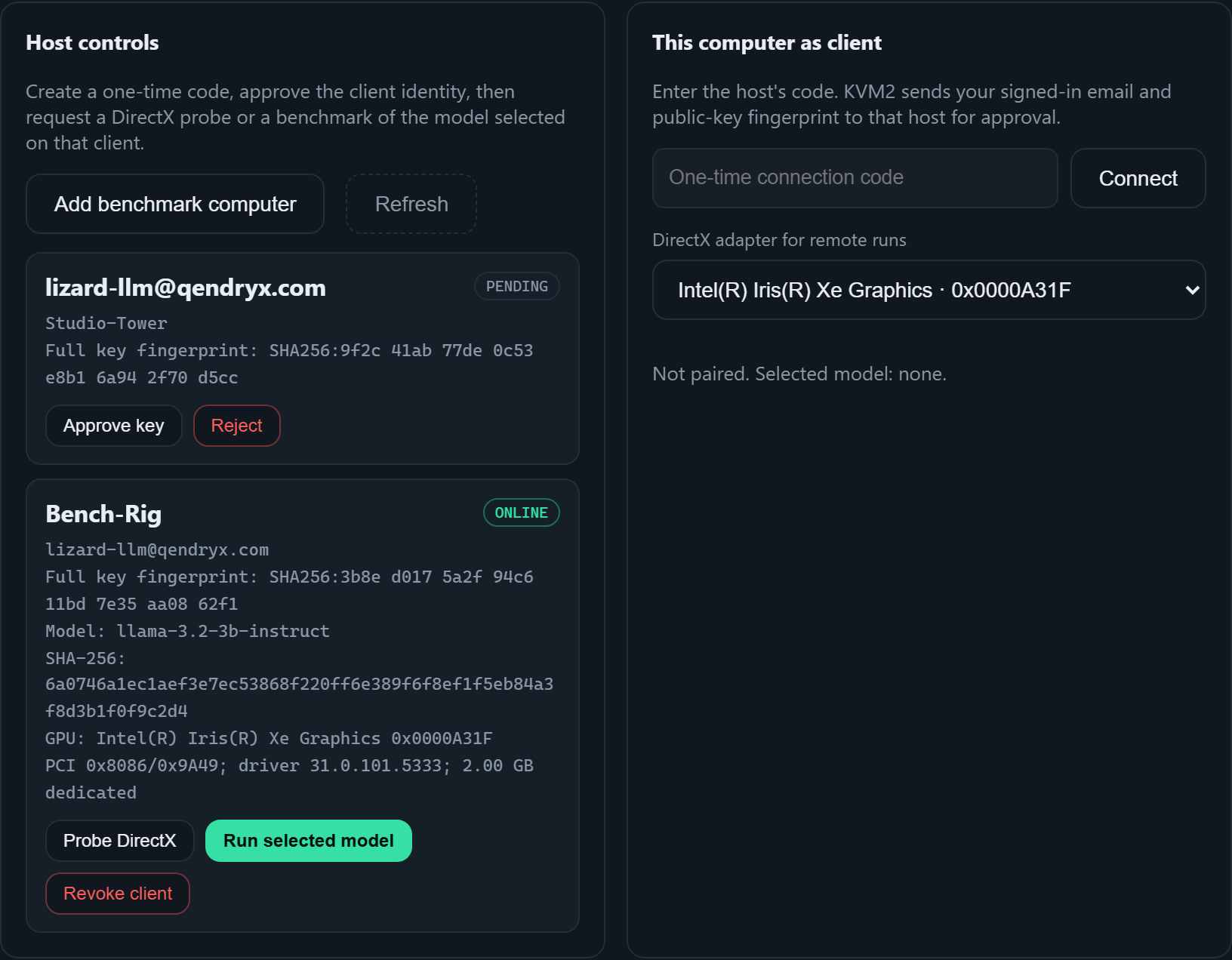
No inbound port
Both computers open an outbound HTTPS/WSS connection to the relay. Neither machine accepts an inbound connection, so there is nothing to forward on your router and no inbound firewall rule to add. The relay queues messages between the two and never holds a model.
Pairing
- On the computer doing the asking, press Add benchmark computer for a one-time code.
- Enter that code on the other PC. It sends its signed-in account email and public-key fingerprint through the relay.
- The host sees the email and the full key fingerprint, and approves or rejects it. A machine you have not approved cannot be asked to do anything.
- Request a DirectX probe, or a benchmark of the model selected on that client. The client confirms before anything runs.
- Read the result.
What comes back is evidence, not a headline
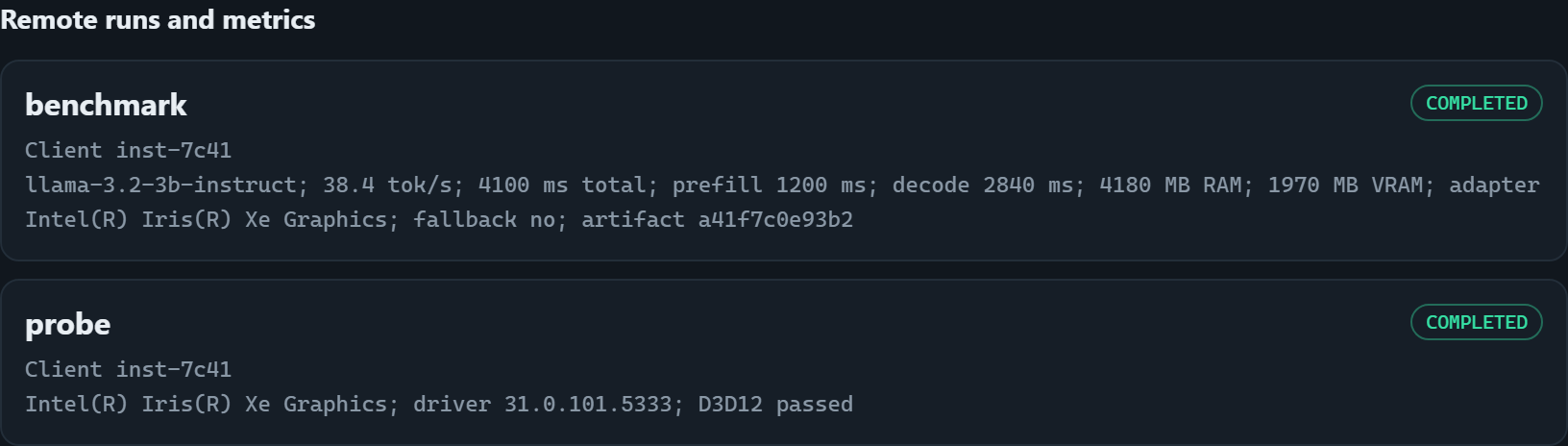
Each completed run returns: model id and SHA-256, tokens per second and total ms, the prefill/decode split, peak RAM and VRAM, GPU adapter and driver version, and whether a fallback path was used.
That last field is the one that matters. If the GPU path was not actually used, the run says so instead of quietly reporting a CPU number as a GPU result.
What never crosses the network
Model weights stay on the machine that runs them — never uploaded, never relayed. Prompts and answers stay local too; a remote run measures speed, not text.
Availability
Remote benchmarking is part of Pro. The five-day trial covers local benchmarks, the dashboard and both native engines; buying credits once adds remote runs and keeps them.
Full details: https://lizard-llm.qendryx.com/remote.html
Question: which two machines are you comparing, and how far apart did they land?
Hello! It looks like you're interested in this conversation, but you don't have an account yet.
Getting fed up of having to scroll through the same posts each visit? When you register for an account, you'll always come back to exactly where you were before, and choose to be notified of new replies (either via email, or push notification). You'll also be able to save bookmarks and upvote posts to show your appreciation to other community members.
With your input, this post could be even better 💗
Register Login