From GGUF selection to local inference: the benchmark setup
-
A benchmark is only meaningful when the exact model file and runtime state are known. These five screens show the path from repository metadata to a locally activated model. Planning estimates are shown before the run; measured evidence is recorded later.
Interactive gallery: https://lizard-llm.qendryx.com/benchmarks.html
Inspect repository and compatibility metadata
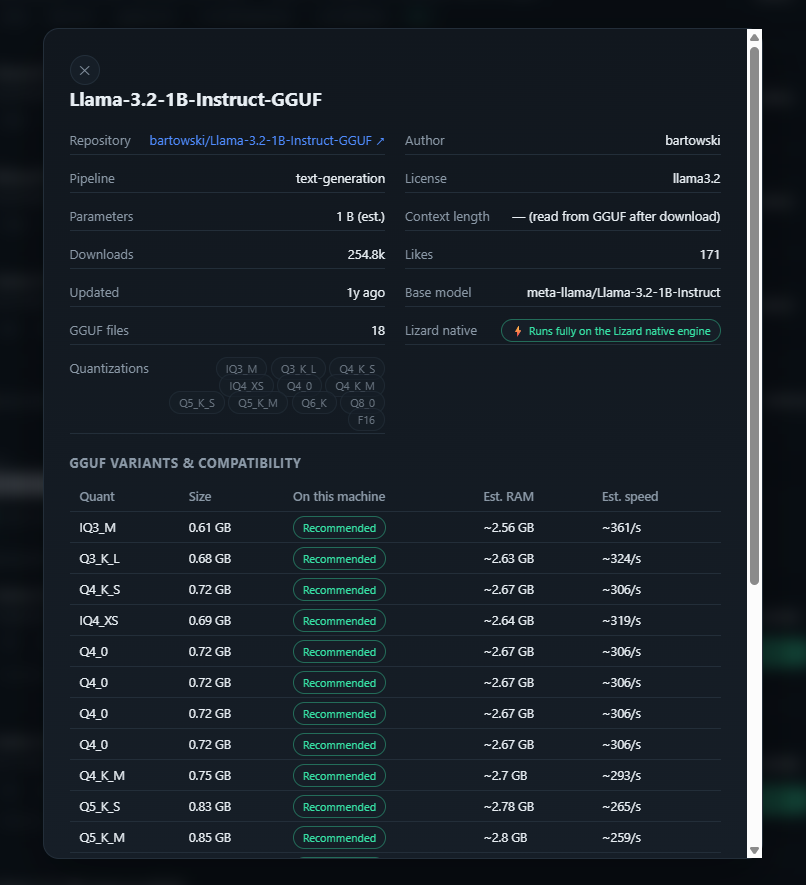
Lizard shows the model family, author, supported quantizations and whether the file can run on the native engine before anything is downloaded.
Choose the exact quantized file
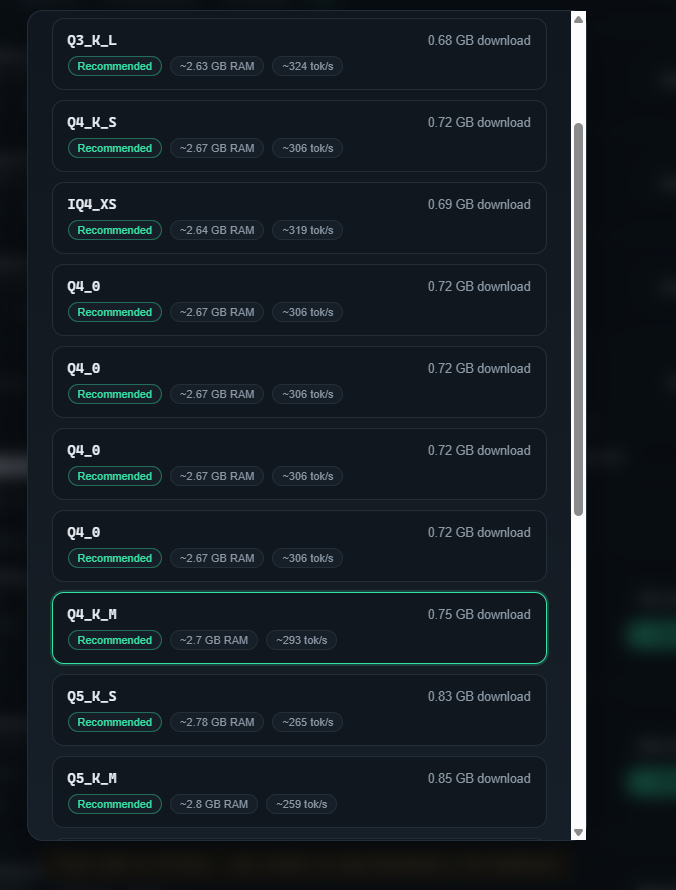
The selected Q4_K_M file has explicit download size, estimated RAM and planning speed. Those estimates are not relabeled as measurements later.
Download identity remains visible
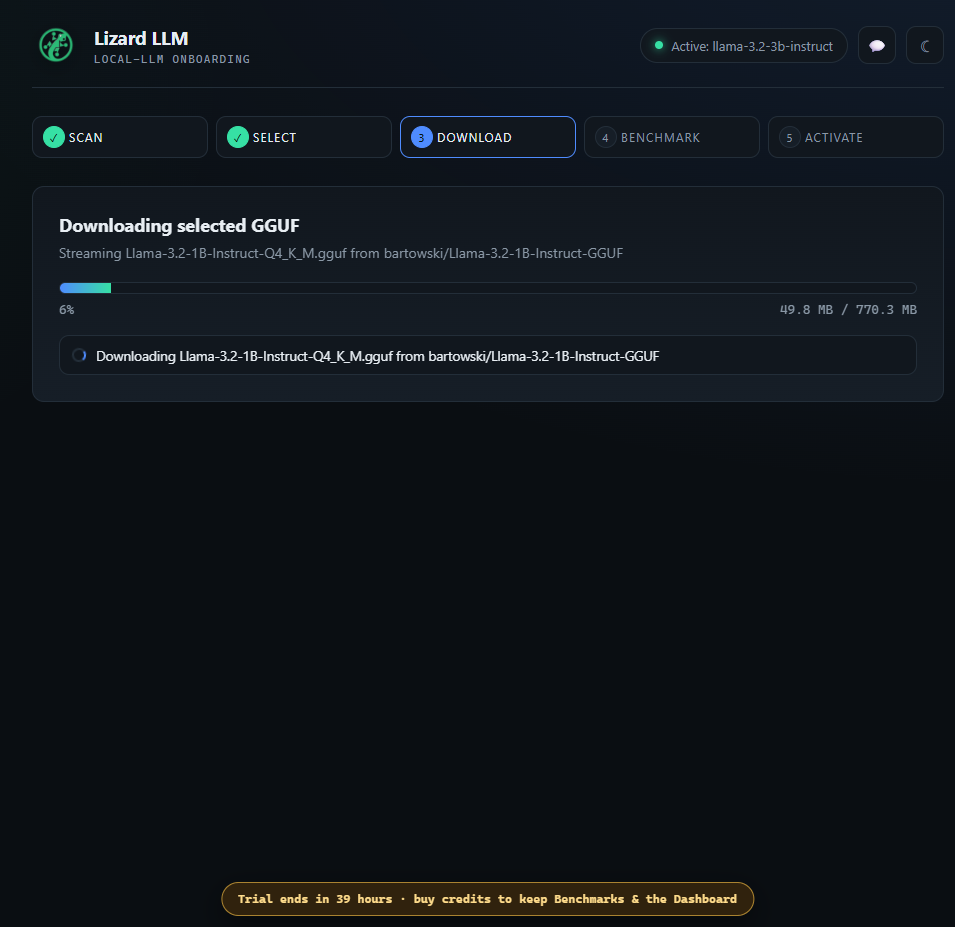
The repository and exact GGUF filename remain on screen while the file downloads, so the later provider rows can be traced back to their intended weights.
Cold is different from warm
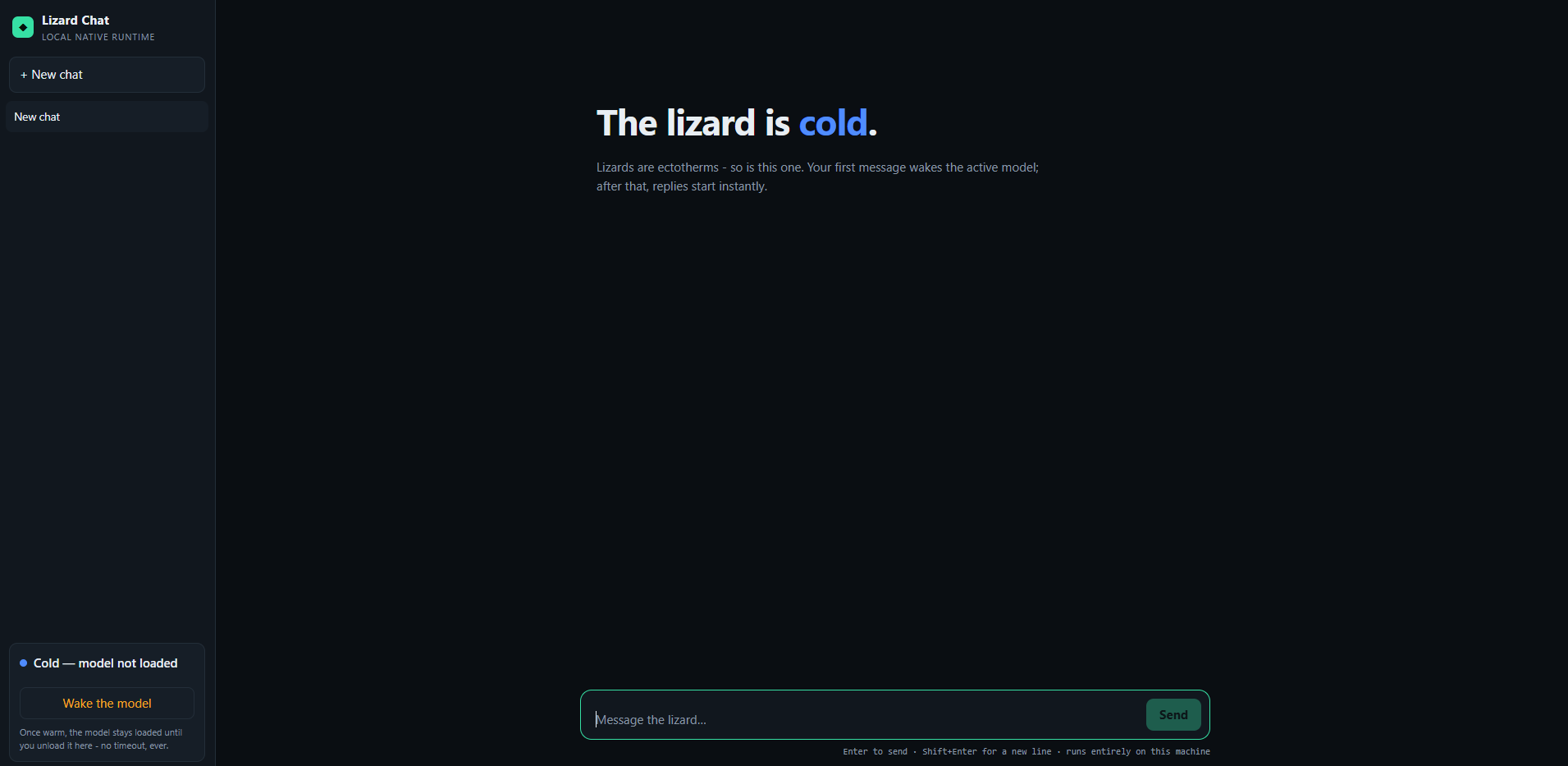
The chat identifies that the model is cold and offers an explicit wake action. Benchmark load and inference timings preserve the same distinction.
Activate the model for local inference
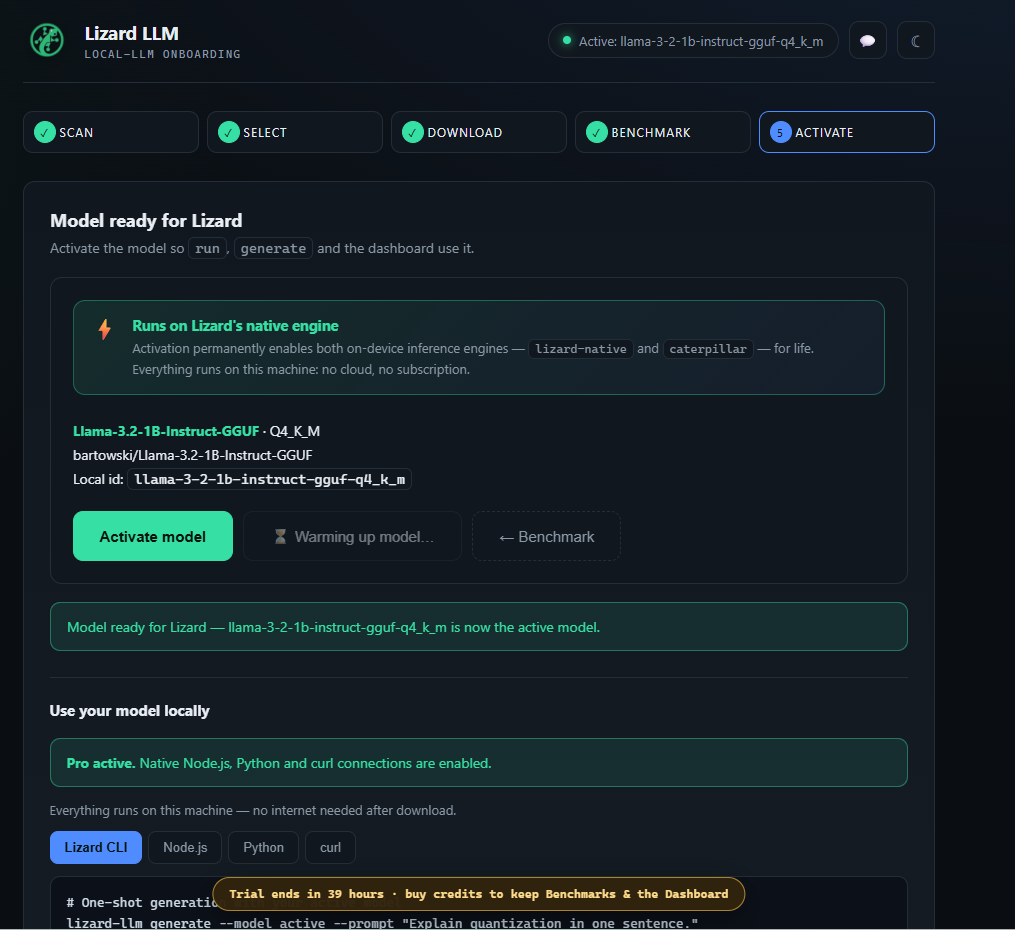
The activated model becomes available to the CLI, chat and local API. The screen names Lizard Native and Caterpillar as the two on-device engines.
Question for you: Which model and quantization did Lizard recommend for your machine, and did the measured result match the planning estimate?
Hello! It looks like you're interested in this conversation, but you don't have an account yet.
Getting fed up of having to scroll through the same posts each visit? When you register for an account, you'll always come back to exactly where you were before, and choose to be notified of new replies (either via email, or push notification). You'll also be able to save bookmarks and upvote posts to show your appreciation to other community members.
With your input, this post could be even better 💗
Register Login